





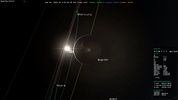
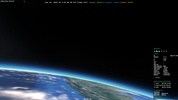
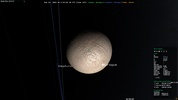
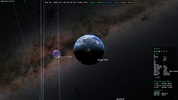
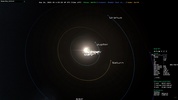

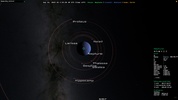

Gaia Sky is a free and open-source astronomical visualization software that allows you to create a 3D simulation of the universe on your PC. Thanks to this program, you can explore billions of celestial bodies in real-time from the comfort of your desktop: from colossal distant galaxies to small asteroids close to the Milky Way— the entire universe will be on your screen.
Download a dataset and start traveling
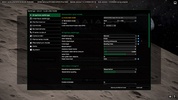
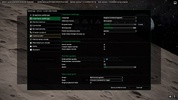
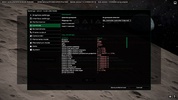
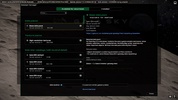
The first thing you must do when you start Gaia Sky for the first time is download one of the many datasets available directly from the program. These datasets will allow you to generate a whole universe inside your PC. The basic package, for example, includes the solar system with all its planets and moons, satellites, orbits, constellations, and other important objects. Without this dataset, the software simply will not work, so it is important to download and install it.
Travel as far as you like
The basic dataset, which takes up just under 100MB, will allow you to simulate the solar system in great detail. Then, from the download tab, you can install many additional datasets, some of them several GB in weight, with which you can considerably increase the size of your simulation. One of the most interesting optional packages, for example, allows you to use high-resolution textures on all planets, moons, and stars to make them look much more spectacular. And other packages will directly enable you to visit distant stars and galaxies.
Keyboard and mouse or gamepad controls
Although it is not a video game, you can easily navigate through Gaia Sky with a game console controller. Luckily, you can also move around the universe using the keyboard and mouse. With the arrow keys, you can move the camera freely and, with the mouse wheel, zoom in and out to the selected object. Earth is defaulted as the reference point in the basic dataset, but you can choose any other planet by double-clicking on it. As a result, you can travel quickly to any of Saturn's moons or the very center of our galaxy.
Download Gaia Sky and marvel at the immensity and spectacular nature of the universe. The program will allow you to see a faithful, real-time representation of everything you can see from home with a telescope and much, much more. If you have a virtual reality device, you can use it to fly freely through space and go from planet to planet and star to star, free of any gravitational pull.















Comments
There are no opinions about Gaia Sky yet. Be the first! Comment